
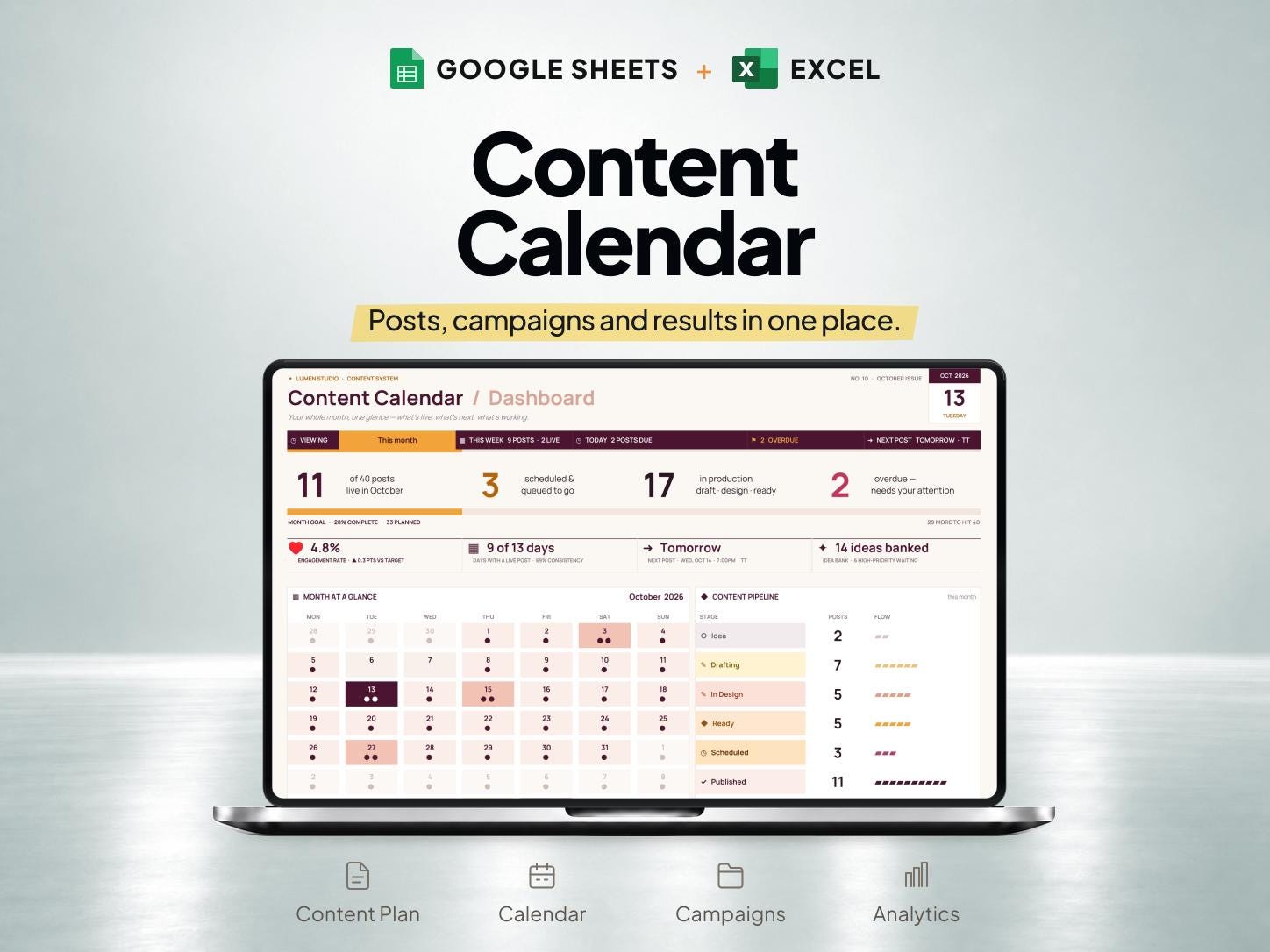
What is included
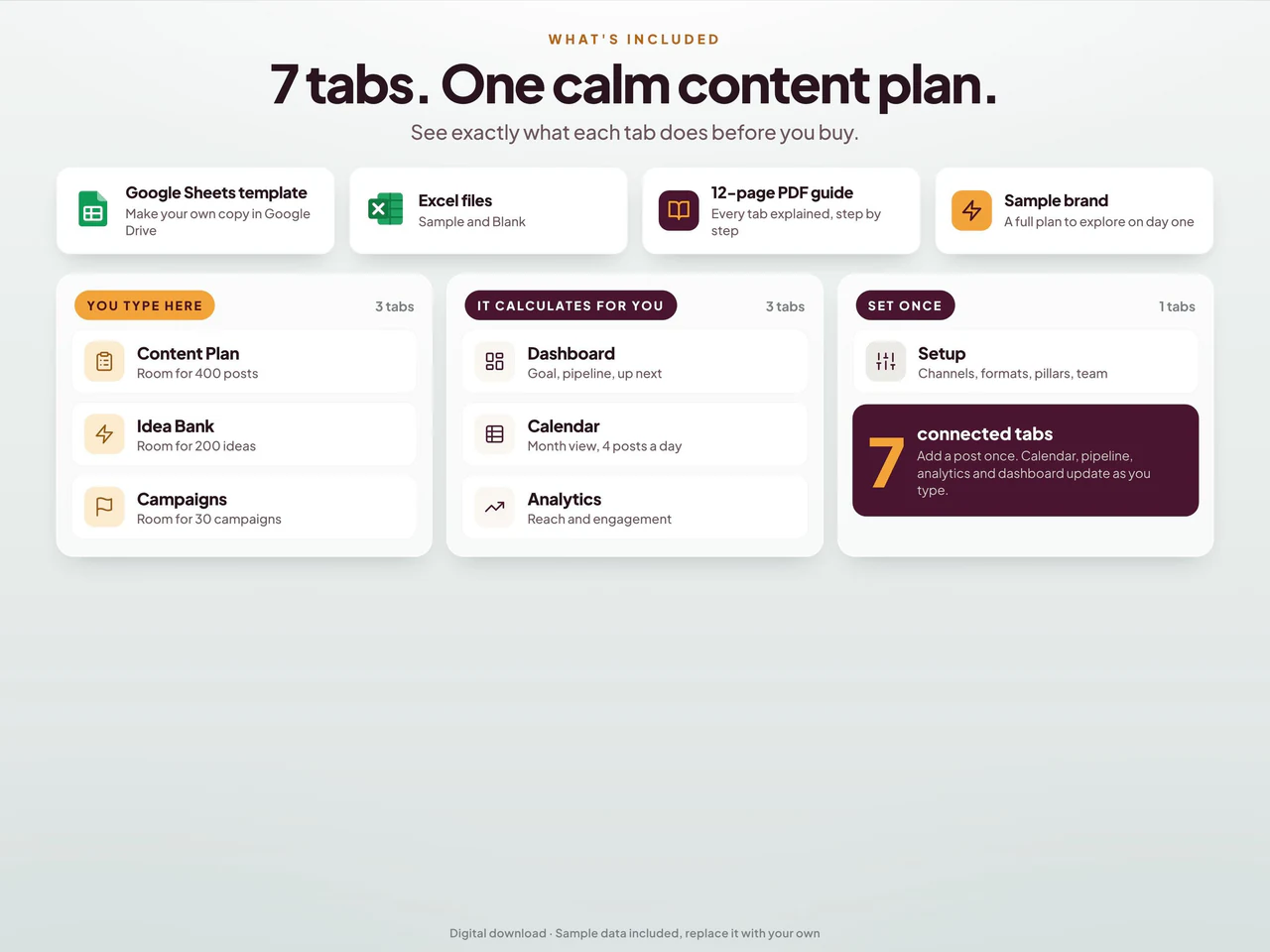
- Content rows record channel, date, format, owner, campaign and six production stages.
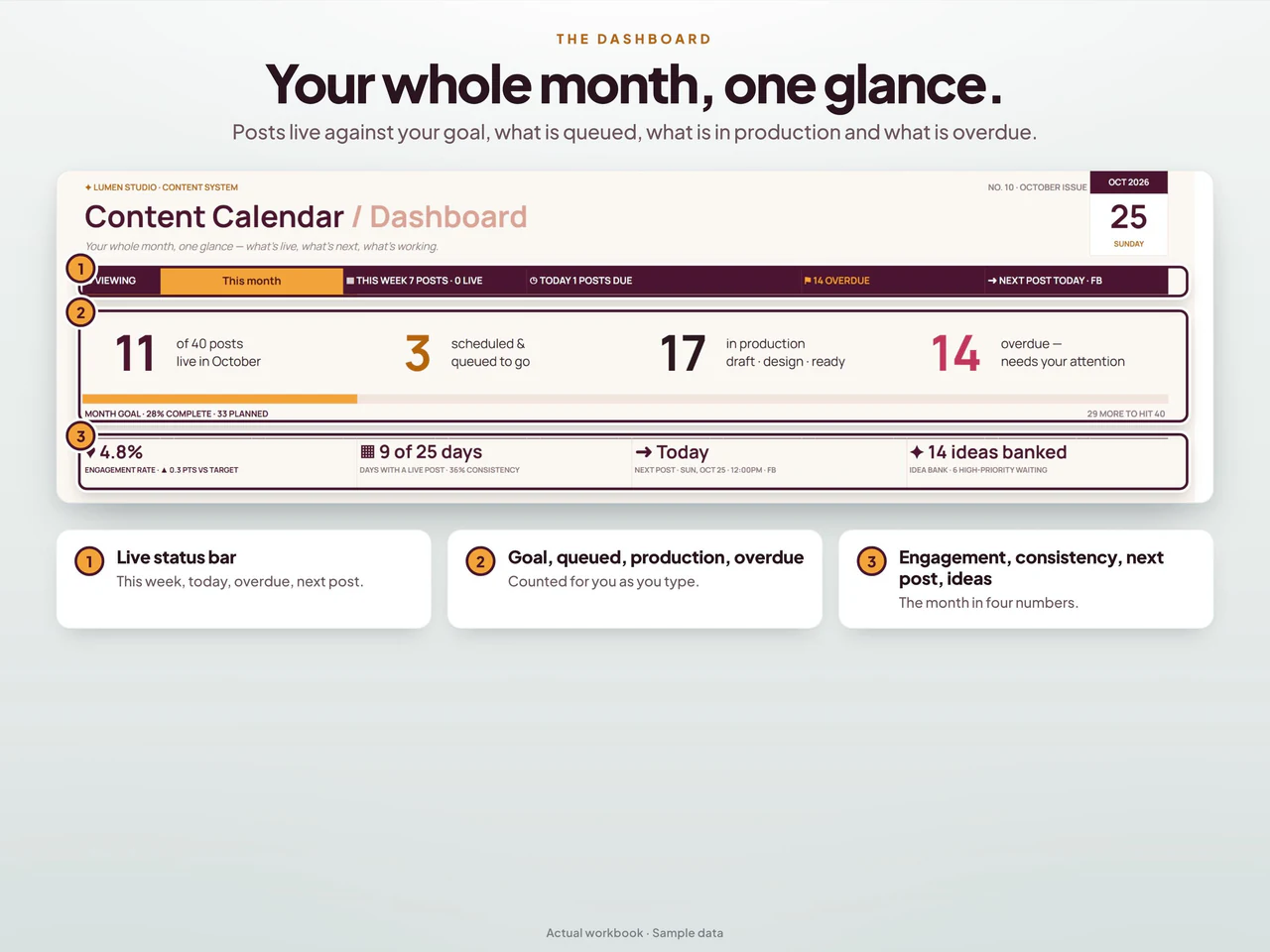
- Connected monthly calendar, idea bank and campaign views organize upcoming work.
- Entered reach, engagement and clicks feed performance summaries and comparisons.
- Includes Google Sheets and sample/blank Excel; it does not publish posts or retrieve social-platform metrics automatically.
Based on the Etsy listing reviewed October 28, 2026. Check the current listing for any later changes.
What to prepare
For the workflow this product is designed around, gather:
- Content ideas and the platforms they are intended for
- The dates or campaigns you are planning around
- Draft and asset references for each planned post
A practical way to use your records
Start with the posts you can realistically prepare and give each one a clear purpose. Keep drafts and asset references connected with the plan, then update the record when content is published or moved. Review the next production tasks before adding more ideas.
A worked example
Fictional example: a creator plans a product demonstration, a useful tip and a behind-the-scenes post for the coming week.
- Monday concept
- Short product demonstration for Instagram
- Wednesday concept
- A practical tip adapted for TikTok
- Friday concept
- Behind-the-scenes clip awaiting editing
- Give each content item a clear purpose, platform and current production status.
- Review the required media and copy before marking an item ready, then record publication after it actually appears on the chosen platform.
Result: The calendar shows what needs filming, editing or checking before release. A planned date remains a planning record; this example does not imply the spreadsheet publishes posts or retrieves platform analytics automatically.
Fictional figures explain the workflow; they do not represent customer results or guarantee particular template fields. See the included features above and the current Etsy listing.
A closer look at Content Calendar and Social Media Planner Spreadsheet for Google Sheets & Excel
Additional previews from this product's Etsy listing. Open any image for a larger view.
Learn the method
Questions about this product
Are Instagram and TikTok named in this planner?
Yes. The product includes Instagram and TikTok content planning and creator tracking.
Does the spreadsheet publish posts automatically?
Use this spreadsheet to plan and track content. Publish through your chosen platform or scheduling service; confirm any connected features on Etsy before relying on them.
Which spreadsheet formats are listed?
This product is described for Google Sheets and Excel. Confirm the included files, software requirements and delivery instructions on its current Etsy listing.
