
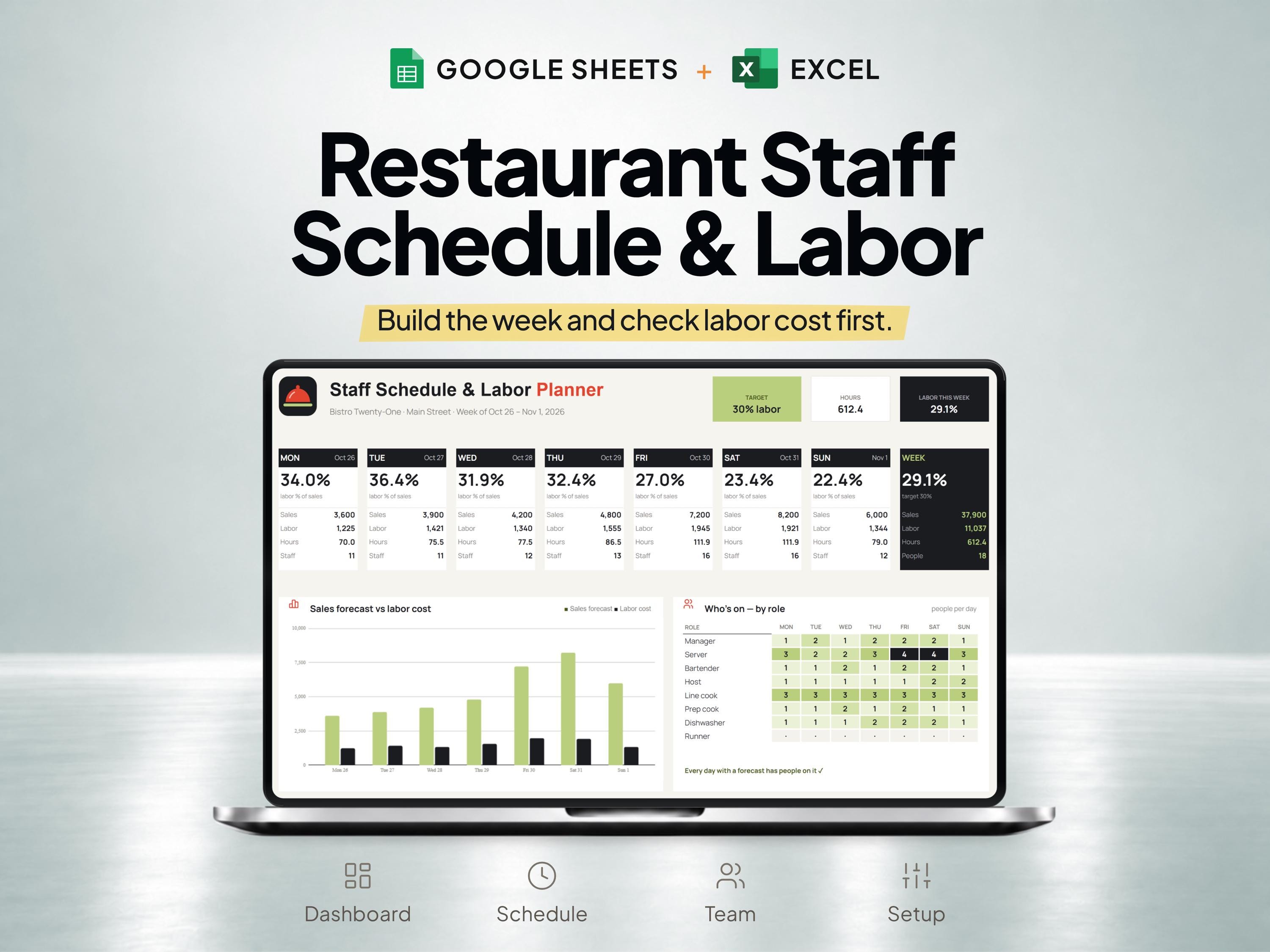
What is included
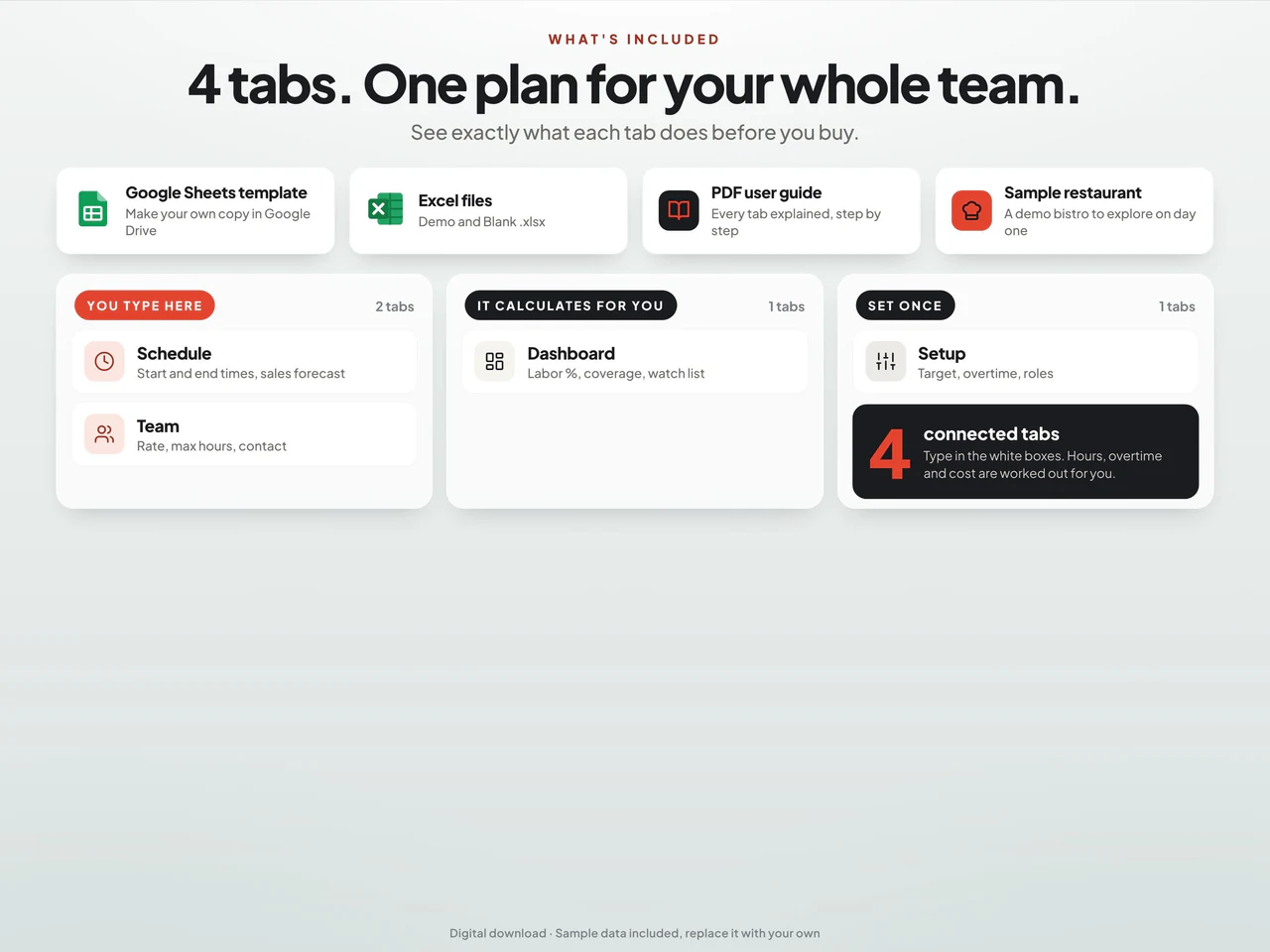
- Weekly start/end times feed scheduled hours, configured overtime and labor-cost calculations.
- Team records include roles, rates and maximum hours; setup controls breaks and overtime assumptions.
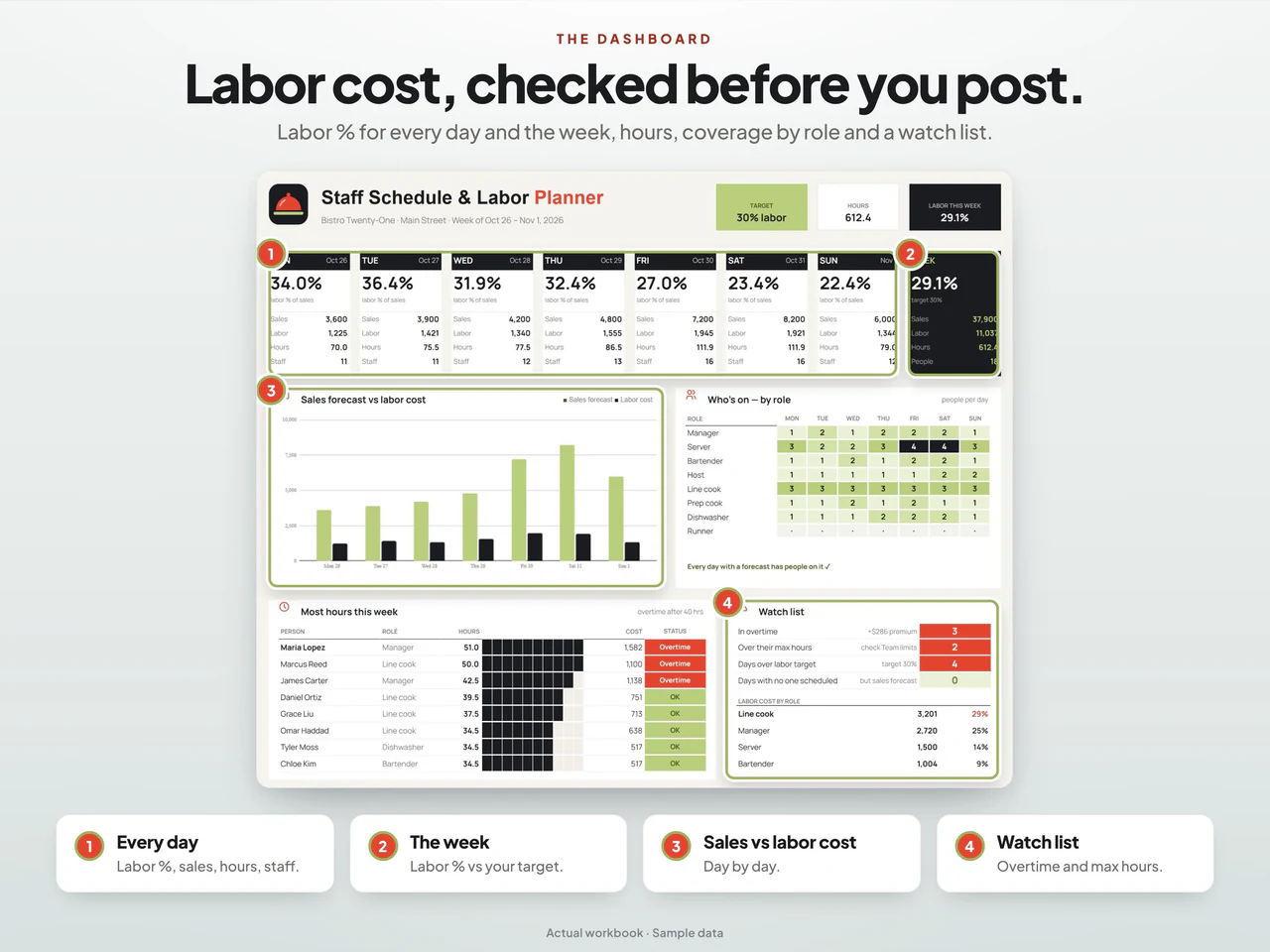
- The dashboard compares planned labor with sales forecasts and flags staffing or hour-limit issues.
- Includes Google Sheets and demo/blank Excel workbooks; restaurant menu and backup/reset actions run only in Sheets.
Based on the Etsy listing reviewed October 28, 2026. Check the current listing for any later changes.
What to prepare
For the workflow this product is designed around, gather:
- The week or period being scheduled
- Employee availability and proposed shifts
- The pay and cost assumptions used in your plan
A practical way to use your records
Start with the shifts the restaurant needs to cover, then compare those needs with availability. Review the rota and the cost plan together before communicating the schedule. Treat the published schedule and actual time worked as separate records.
A worked example
Fictional example: a restaurant compares the planned straight-time cost of two shifts before publishing its weekly rota.
- Kitchen shift
- 8 planned hours at an illustrative $18 per hour
- Service shift
- 6 planned hours at an illustrative $15 per hour
- Planning period
- The same Monday service period
- Check coverage needs and availability first, then enter the planned shifts and their stated rates.
- Review the combined hours and base cost, while keeping actual attendance and any additional payroll costs for a separate reconciliation.
Result: The shifts contain 14 planned hours and $234 of straight-time base cost: $144 + $90. The example excludes overtime, taxes and benefits; the planned amount should not be treated as a final payroll calculation.
Fictional figures explain the workflow; they do not represent customer results or guarantee particular template fields. See the included features above and the current Etsy listing.
A closer look at Restaurant Staff Schedule & Labor Cost Planner for Google Sheets and Excel
Additional previews from this product's Etsy listing. Open any image for a larger view.
Learn the method
Questions about this product
Is labor-cost planning included with the rota?
Yes. The product combines employee shifts, restaurant scheduling and labor-cost planning.
Is a planned shift the same as an employee timesheet?
No. A rota records intended work. If you need actual time and payroll records, compare the separate employee timesheet product.
Which spreadsheet formats are listed?
This product is described for Google Sheets and Excel. Confirm the included files, software requirements and delivery instructions on its current Etsy listing.


