
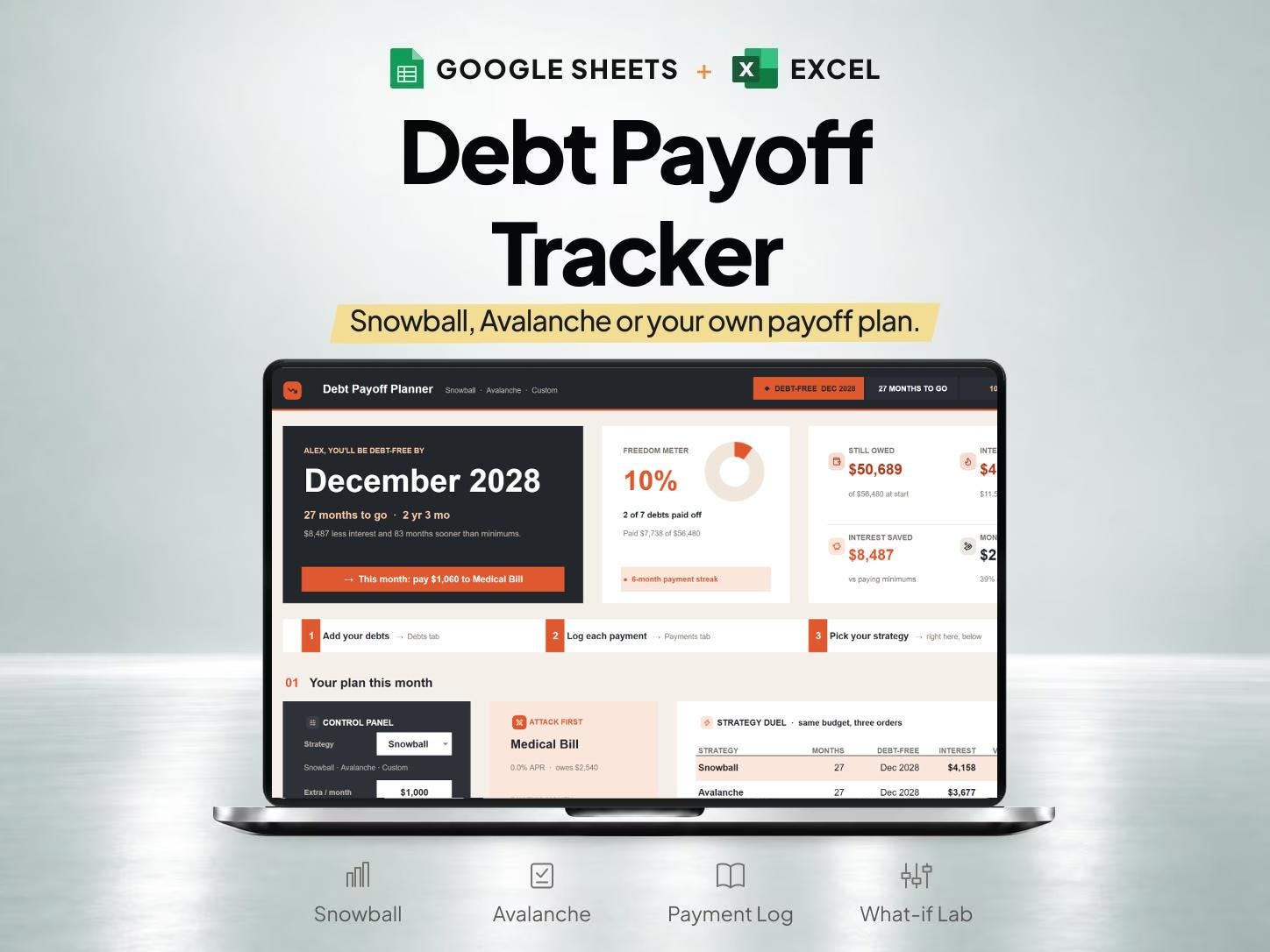
What is included
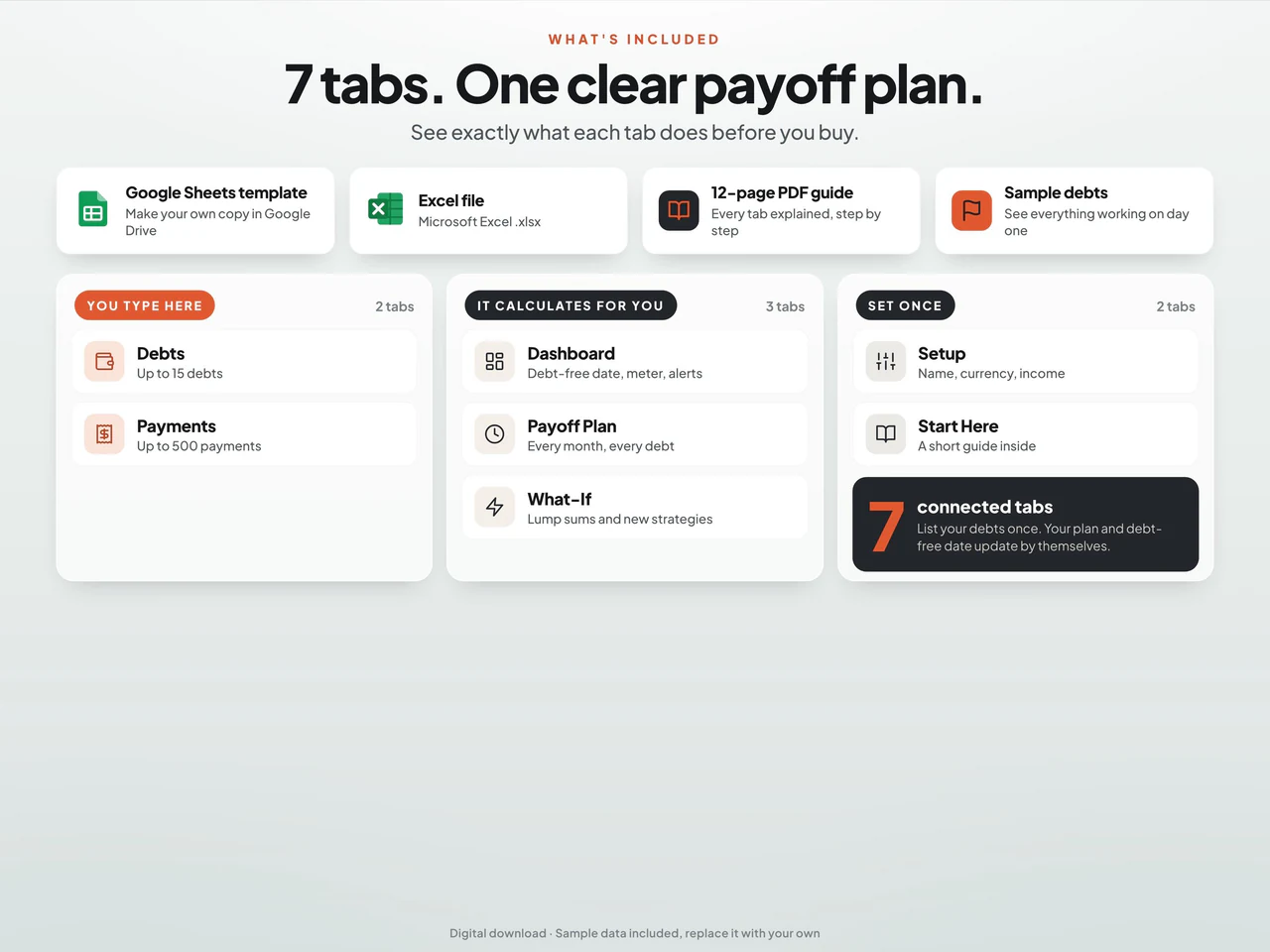
- Records up to 15 debts and 500 payments, with Snowball, Avalanche and custom payment-order comparisons.
- A month-by-month plan and what-if area compare extra payments and other entered scenarios.
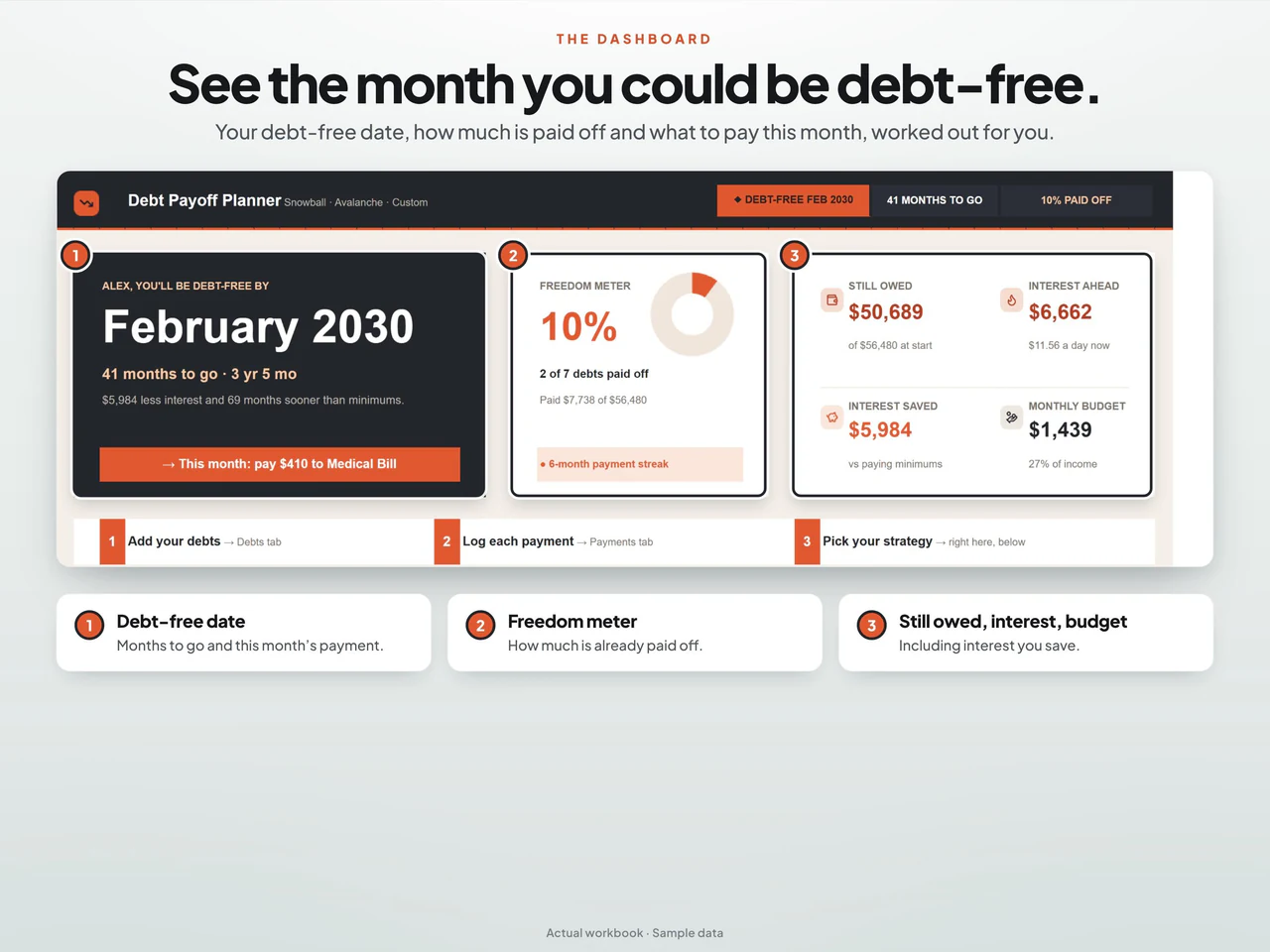
- The dashboard displays estimated payoff timing, payment allocation and progress from the supplied inputs.
- Includes Google Sheets and Excel files plus a guide; estimates depend on inputs, and the one-click tools run only in Sheets.
Based on the Etsy listing reviewed October 28, 2026. Check the current listing for any later changes.
What to prepare
For the workflow this product is designed around, gather:
- Current balances from creditor records
- Interest rates and required payment information
- The payment amounts you want to model
A practical way to use your records
Use current account figures when setting up a scenario. Keep planned payments distinct from payments actually made, and update the record when a statement changes. Review the calculator's assumptions before comparing snowball and avalanche scenarios.
A worked example
Fictional example: a household compares the ordering of two debt-payoff scenarios before entering its own payment assumptions.
- Account A
- $600 balance; 12% stated annual rate
- Account B
- $1,200 balance; 24% stated annual rate
- Payment records
- Current minimum payments and due dates from each statement
- Check balances, rates and due dates against current statements instead of reusing an older month's figures.
- Compare the smallest-balance ordering with the highest-rate ordering while keeping required payments and your chosen extra-payment assumptions visible.
Result: The smallest-balance illustration starts with Account A; the highest-rate illustration starts with Account B. This comparison explains the two orderings only. It does not estimate interest savings or recommend a repayment choice.
Fictional figures explain the workflow; they do not represent customer results or guarantee particular template fields. See the included features above and the current Etsy listing.
A closer look at Debt Payoff Tracker Spreadsheet with Snowball & Avalanche Calculators
Additional previews from this product's Etsy listing. Open any image for a larger view.
Questions about this product
Are snowball and avalanche calculators both listed?
Yes. The spreadsheet includes both snowball and avalanche calculators.
Does a projected payoff date replace my account statement?
No. A scenario depends on your inputs and the calculator's assumptions. Continue to use creditor statements for actual balances and required payments.
Which spreadsheet formats are listed?
This product is described for Google Sheets and Excel. Confirm the included files, software requirements and delivery instructions on its current Etsy listing.


